


LEGO® DUPLO® Peppa Pig
4.4102.00 Reviews
App Specs
- Version
- 14.0.0
- Updated On
- License
- Free
- Downloads
- 10,000,000+
- Developer
- StoryToys
- Categories
- Educational
- Platform
- Android, iOS
Screenshots
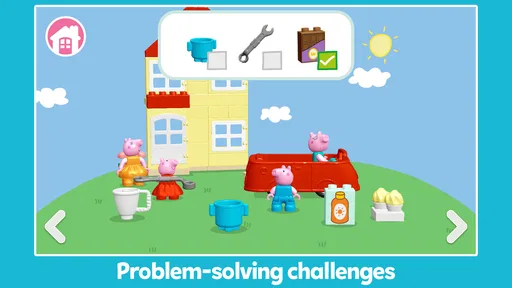
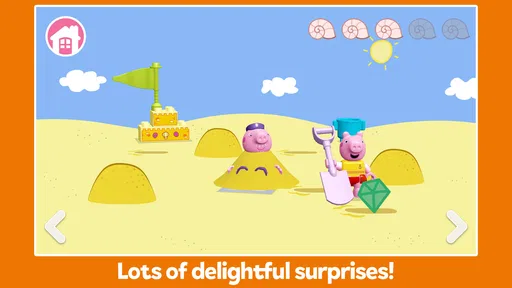
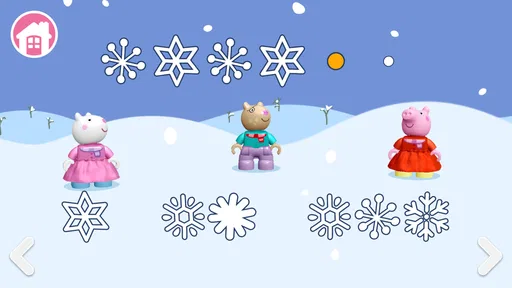
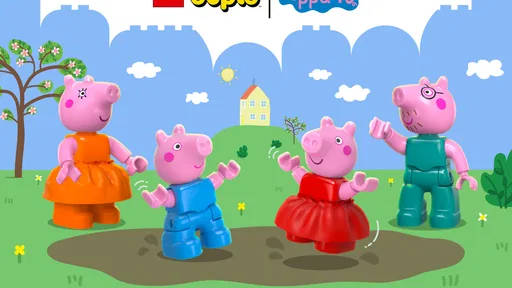
 Analysis by AppCompare
When I first tried LEGO® DUPLO® Peppa Pig, what stood out was how quickly it establishes a gentle, familiar play mood. The bright colors, recognizable characters, and simple interactions make it feel approachable for young children rather than like a game they need to master. I see it working best as a short, shared activity: a child can explore at their own pace while an adult sits nearby, asks questions, or joins in the pretend play.
A small-screen activity for ordinary moments
That makes it useful in more specific situations than simply “keeping kids busy.” I can imagine offering it during a quiet stretch at home, or letting a child revisit it after playing with physical DUPLO bricks. An adult might ask, “What could Peppa build next?” and let the child decide, turning a brief screen session into a conversation about choices and stories. The game’s educational angle is most convincing when a grown-up treats it as a prompt for play, not as a substitute for hands-on building or company.
It is a game for children, not a general-purpose building sandbox. If a child wants open-ended construction with lots of control over shapes and designs, real DUPLO bricks—or a more flexible building game—will likely satisfy that urge better. Here, the familiar Peppa setting gives the play a clear frame. That can help a younger child get started, but it also means the experience is narrower than a broad creative toolkit.
What the familiar setting adds
The game’s visual language does useful work: the colorful scenes and recognizable characters make the play feel legible before a child has to understand any particular task. That is a real advantage for a young player who might find a menu-heavy game confusing. The Peppa world also gives adults an easy way into the activity; you can talk about what is happening on screen without needing to explain complicated controls first.
There is a trade-off, though. Children who are not interested in Peppa Pig may not get much from the familiar cast, and older kids looking for speed, competition, or difficult puzzles may outgrow the gentle approach quickly. I would choose this for a preschool-age child who enjoys pretend play, not for someone seeking a demanding game or a deep construction system.
Keeping play low-pressure
A useful way to approach it is to let the child lead rather than turning each interaction into a lesson. Ask what they notice, what they think a character might do, or what they would build next; then give them time to explore without correcting every choice. This supports conversation and imaginative thinking while keeping the app’s relaxed pace intact. It also makes a short session feel more purposeful than handing over the device and expecting the game to teach on its own.
When choosing an app for a young child, I would also distinguish between a calm character-led game and a collection of fast activities. The former can be easier to settle into, while the latter may offer more variety but demand more switching and adult guidance. This title’s appeal is its focused Peppa-and-building theme. If your child prefers rapid changes or a wider mix of subjects, a different educational game may be a better match.
Worth Reading Before You Choose

Baby Panda World Brings Quick Play to Modern Phones, but Its Game Library Feels Busy

ESPN’s Live Game View Makes Following Close Games Easier

QuizzLand Review: A Good Fit for Short Trivia Breaks, Not Every Player

Basketball Stars: Multiplayer Is Fast, but Can It Recover When Matches Go Wrong?

WEBTOON Turns Phone Updates Into a Better Reading Routine

Link to Windows Runs on Shared Habits, Not Social Feeds
Practical questions before handing over the device
The game is free to start, while in-app purchases range from $2.99 to $39.99 per item. I would check the purchase settings on the device before a child plays, especially if they can navigate menus independently. The age rating is Everyone, but that is not the same as a promise that every child will enjoy it; interest in the characters and comfort with touch controls matter more in day-to-day use.
It is available on Android with a minimum OS requirement of 8.0, and its current version is 11.0.0. StoryToys develops the game. It has an average rating of 4.2 from around 12,000 ratings, and it has been installed over 5 million times. Those figures suggest a widely used title, but I would still judge it by whether the child likes its pace and familiar play style. It was released on May 28, 2024.
A Whimsical Playdate with Peppa Pig
Right off the bat, the app captures the essence of the beloved Peppa Pig universe. The colors are vibrant, the characters are charming, and the interactive elements are just spot on. You're not just watching Peppa and her friends; you’re practically part of the gang, embarking on all sorts of adventures.
The app doesn’t just rely on Peppa’s popularity, though. It builds on it by integrating LEGO® DUPLO® elements, which means it’s not just about fun; it’s about building, creating, and exploring. As a parent, I appreciate this dual approach—kids are entertained, but they’re also learning valuable skills like problem-solving and creativity.
Building Blocks of Fun
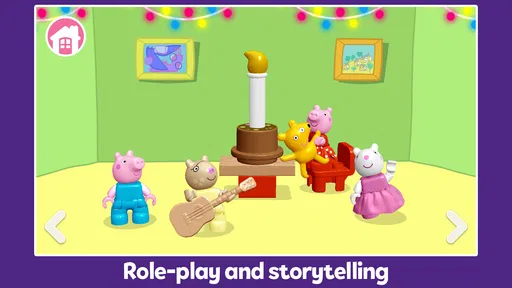
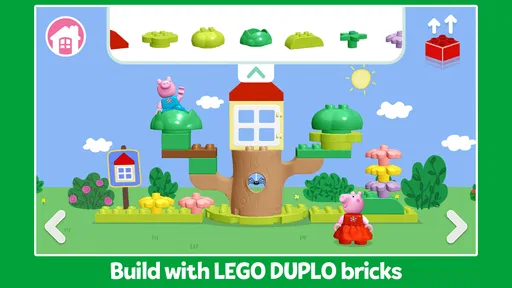
The gameplay is intuitive enough for young children, and trust me, watching them navigate through the challenges is a joy. The app encourages children to engage in storytelling and role-playing, which is crucial for their cognitive development. There’s something incredibly satisfying about seeing those little fingers drag and drop LEGO® pieces to solve puzzles or complete tasks.
Plus, the app’s layout is straightforward. Kids can easily choose their favorite characters and scenarios, which range from tea parties to treasure hunts. And let's not forget the sound effects! They add that extra layer of charm, making every action come alive with Peppa’s trademark giggles and snorts.
Why Kids Love It
I couldn’t help but notice how the app smartly taps into the curiosity of young minds. Every scene presents a new challenge or a new story, urging kids to think creatively. It’s not overwhelming, though. The app strikes a perfect balance, keeping things simple yet engaging.
What’s more, the app is designed to foster independent play. As much as we love to play with our kids, sometimes they need their space to explore. With LEGO® DUPLO® Peppa Pig, they can do just that. It’s like giving them their little sandbox, only it’s digital and Peppa’s there!
Safe and Sound
As a parent, safety is always a top concern when it comes to kids’ apps. Rest assured, this app ticks all the boxes. It’s ad-free, which means no sudden pop-ups or distractions. Plus, it’s designed to be a safe environment where kids can explore without worry.
Not to mention, the app comes with parental controls, allowing you to set playtime limits. It’s a neat feature that helps manage screen time effectively.
Final Thoughts: A Must-Have for Peppa Fans
If you’re on the lookout for an app that combines fun with learning, LEGO® DUPLO® Peppa Pig is a fantastic choice. It’s not just another game—it’s an experience. Whether it’s a rainy day or just a cozy afternoon at home, this app promises to keep your little ones entertained and engaged.
So, grab your phone or tablet, and let Peppa and her friends whisk your child away to their imaginative world. It’s a delightful adventure that’s sure to bring smiles and giggles. Happy building!
How the world, sound, and pace work together
The visual design and audio help the game feel like a single playful place rather than a set of unrelated exercises. Familiar characters make scenes easy to read, while the bright, toy-like look keeps the building theme present. The sound effects add character to simple actions, but the mood stays gentle; this is not the kind of game that relies on urgency or loud competition to hold attention.
That relaxed rhythm is a strength for children who like to take their time, repeat an action, and make up a story around it. It can be less compelling for a child who expects constant new stimuli. I would treat it as a calm play option, not a guaranteed way to occupy a restless child for a long stretch. A short session with an adult nearby may be a better fit than expecting the app to carry the whole afternoon.
What to watch for during a first session
For a first try, I would sit with the child and let them explore the character and scenario choices before offering help. That gives you a quick sense of whether the touch interactions feel comfortable and whether the Peppa theme is enough to hold their interest. If they hesitate, a simple prompt about what they want a character to do can get play moving without taking control away from them.
Another practical tip is to connect the screen activity to something away from the device. After a scene, invite the child to retell what happened or recreate an idea with toys or paper. This makes the game a starting point for imaginative play rather than an isolated screen reward. It is especially useful for children who enjoy stories but need a little encouragement to turn what they see into their own ideas.
Choosing it over other children’s games
Compared with broad educational apps that move rapidly between numbers, letters, quizzes, and mini-games, this is a more focused choice. Its strength is the combination of familiar characters and building-themed play, not breadth across school subjects. Compared with free-form construction apps, it gives children a more guided, character-led context, but offers less room for unrestricted design. That distinction matters: I would choose it for gentle imaginative play, and choose a broader learning app for varied practice or a sandbox for independent building.
Parents should also consider how a child handles a device. A child who can tap around confidently may enjoy exploring with little help, while one who is still learning touch controls may benefit from an adult alongside them. The straightforward layout helps, but it does not remove the value of a first-session check-in. Watching where a child gets stuck tells you more than assuming that a young age rating means the game will be effortless for every player.
A measured recommendation
StoryToys has made a children’s game whose appeal comes from the way Peppa’s familiar world and DUPLO-inspired creativity sit together. I like it most as a low-pressure activity for a child who already enjoys those characters and enjoys making up stories. The educational value is better understood as practice in choosing, imagining, and narrating than as formal instruction, so I would pair it with conversation and physical play when possible.
Pros
- Engaging for young children with interactive play.
- Develops problem-solving and creativity skills.
- Features beloved Peppa Pig characters.
- Simple and intuitive interface for kids.
- High-quality graphics and sound effects.
Cons
- Limited content may become repetitive.
- In-app purchases can add up quickly.
- Requires internet for some features.
- Might not appeal to older children.
- Large app size takes up device space.
FAQs for LEGO® DUPLO® Peppa Pig
What age group is LEGO® DUPLO® Peppa Pig suitable for?
LEGO® DUPLO® Peppa Pig is designed for young children, primarily targeting ages 2 to 5. The app provides an engaging and safe environment for toddlers to explore, encouraging creativity and early learning through interactive play, all while ensuring the content is age-appropriate and easy to navigate.
Is LEGO® DUPLO® Peppa Pig free to download and play?
LEGO® DUPLO® Peppa Pig is free to download, but it may include optional in-app purchases. These purchases can unlock additional content or features. Parents should be aware of this to manage spending and ensure their child doesn’t inadvertently make purchases.
Does LEGO® DUPLO® Peppa Pig have educational value?
Yes, the app offers educational value by promoting skills such as problem-solving, creativity, and motor skills. Through interactive storytelling and building activities, children can learn basic concepts and develop their imagination while engaging with familiar characters from the Peppa Pig universe.
Can LEGO® DUPLO® Peppa Pig be played offline?
LEGO® DUPLO® Peppa Pig requires an internet connection for initial download and updates, but many features can be accessed offline once the app is fully installed. This makes it convenient for parents who want to entertain their children without needing constant internet access.
Is LEGO® DUPLO® Peppa Pig safe for children to use?
The app is designed with safety in mind, offering a child-friendly interface free from third-party ads. Parents can feel confident that their children are engaging with content that is secure and appropriate. Additionally, privacy settings can be managed to ensure a controlled user experience.


